
搭建NeZha探针 套CloudFlare ipv6小鸡废物利用
253 字
1 分钟
搭建NeZha探针 套CloudFlare ipv6小鸡废物利用
1、安装Warp(如果VPS有ipv4忽略此步骤)
wget -N https://gitlab.com/fscarmen/warp/-/raw/main/menu.sh && bash menu.sh [option] [lisence/url/token]如果warp获取不到ip 执行:
wg-quick down warp &>/dev/null; sed -i "s/Endpoint.*/Endpoint = engage.cloudflareclient.com:4500/" /etc/wireguard/warp.conf; warp o2、安装NeZha
curl -L https://raw.githubusercontent.com/nezhahq/scripts/refs/heads/main/install.sh -o nezha.sh && chmod +x nezha.sh && sudo ./nezha.sh3、安装Caddy
apt install caddy4、Caddy反代(如需Nginx反代请移步官网查看)
nano /etc/caddy/Caddyfile dashboard.example.com { @grpcProto { path /proto.NezhaService/* }
reverse_proxy @grpcProto { header_up Host {host} header_up nz-realip {http.CF-Connecting-IP} # 替换为你的 CDN 提供的私有 header,此处为 CloudFlare 默认 # header_up nz-realip {remote_host} # 如果你使用caddy作为最外层,就把上面一行注释掉,启用此行 transport http { versions h2c read_buffer 4096 } to localhost:8008 }
reverse_proxy { header_up Host {host} header_up Origin https://{host} header_up nz-realip {http.CF-Connecting-IP} # 替换为你的 CDN 提供的私有 header,此处为 CloudFlare 默认 # header_up nz-realip {remote_host} # 如果你使用caddy作为最外层,就把上面一行注释掉,启用此行 transport http { read_buffer 16384 } to localhost:8008 } }5、CloudFlare开启grpc
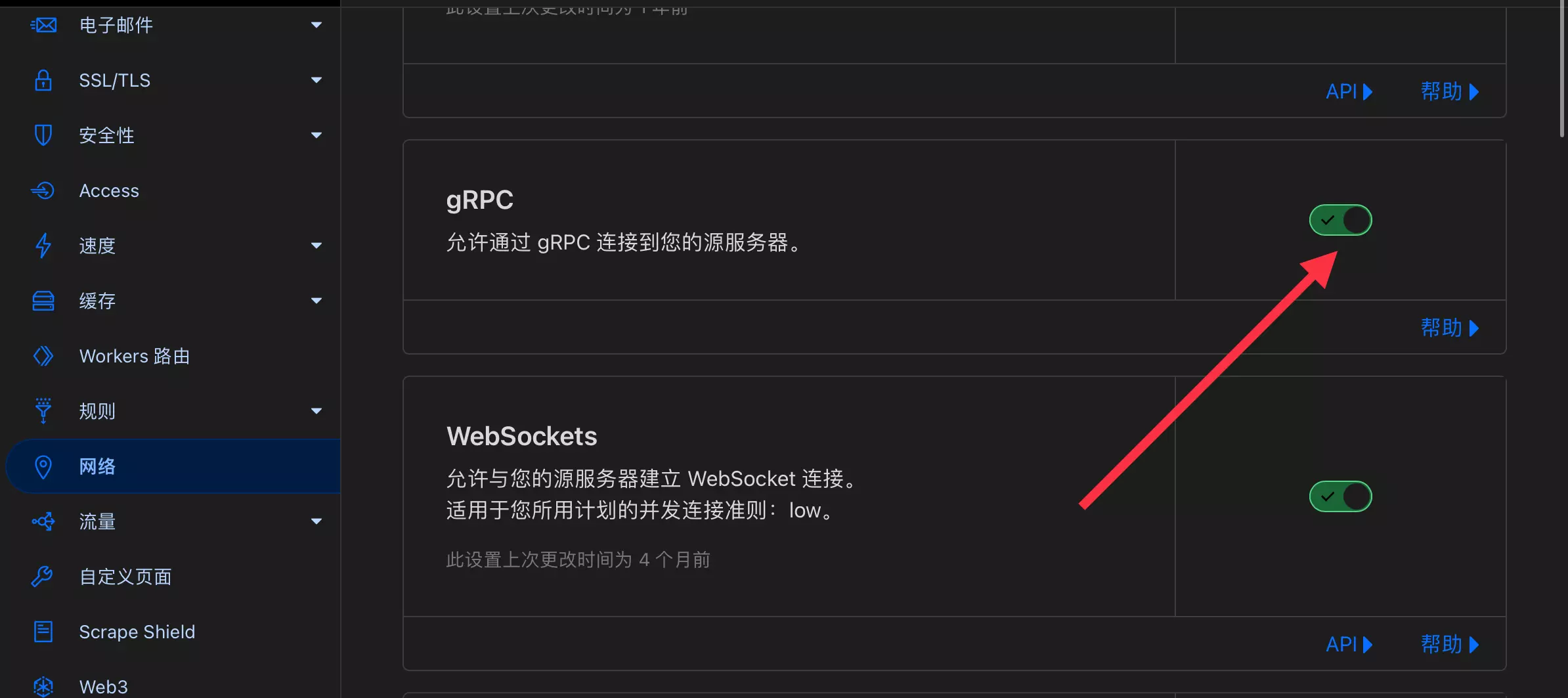
网络-grpc开启 如图所示
6、对接Agent
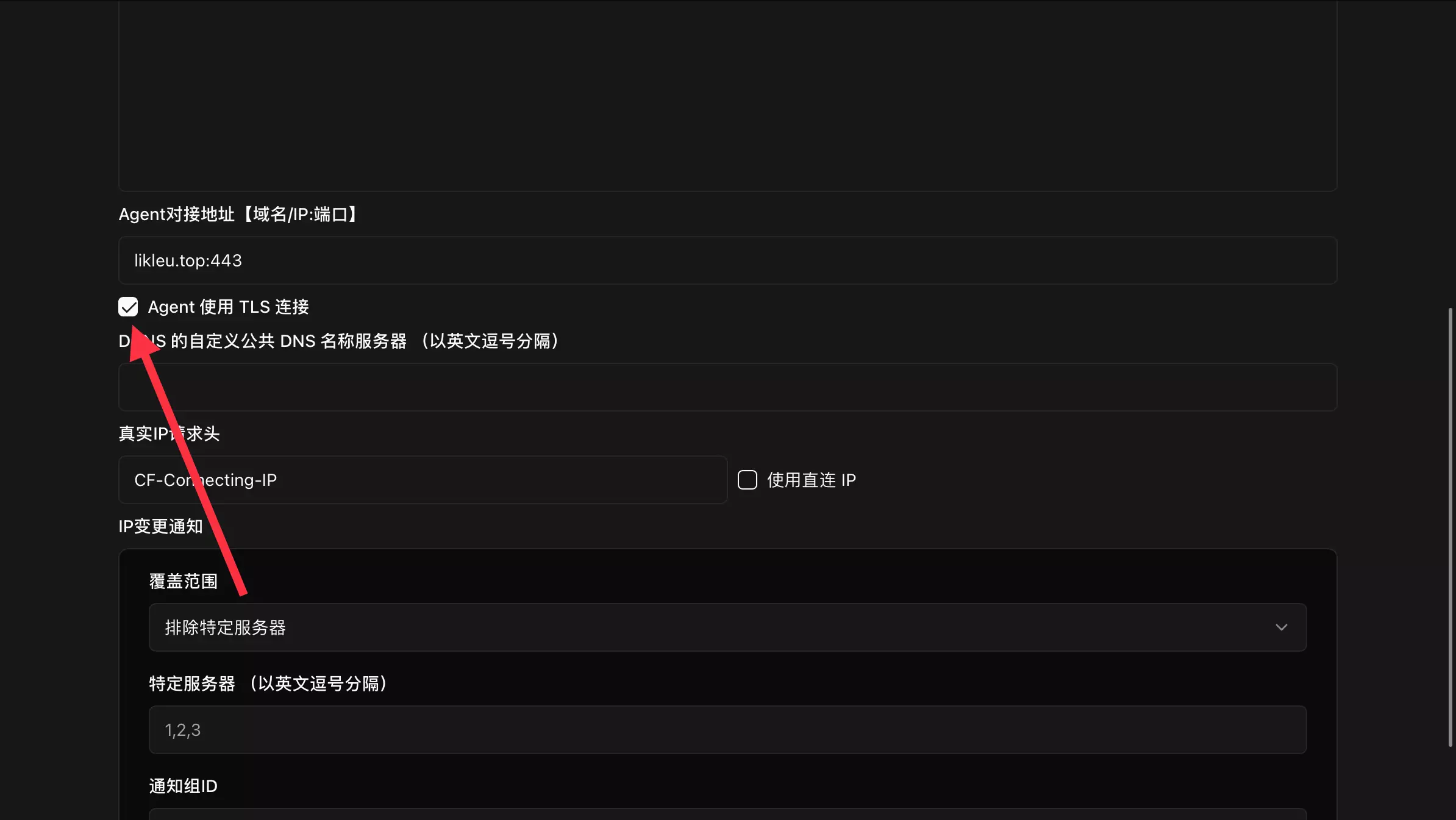
NeZha后台要把端口换成443 开启tls 如图所示
支持与分享
如果这篇文章对你有帮助,欢迎分享给更多人或打赏支持!
搭建NeZha探针 套CloudFlare ipv6小鸡废物利用
https://blog.leuxx.de/posts/18/相关文章智能推荐
1
给哪吒面板添加周期流量显示
哪吒哪吒流量显示
2
清理哪吒数据库、修改哪吒数据库 更改服务器、报警、服务顺序等
哪吒2025-02-12
3
哪吒V1快捷更改Agent域名
哪吒2024-10-10
4
使用 Resend 和 Cloudflare 自建域名邮箱
域名邮箱使用 Resend 与 Cloudflare 实现域名邮箱发信教程 免费 SMTP 替代方案
5
解决Cloudflare Pages部署纪录过多导致无法删除项目的问题
CloudFlare最近要在Cloudflare Pages删除项目遇到无法删除的问题 解决方法
随机文章随机推荐